
Music Theory & Composition
Logic Pro vs Ableton: Which DAW Fits You?
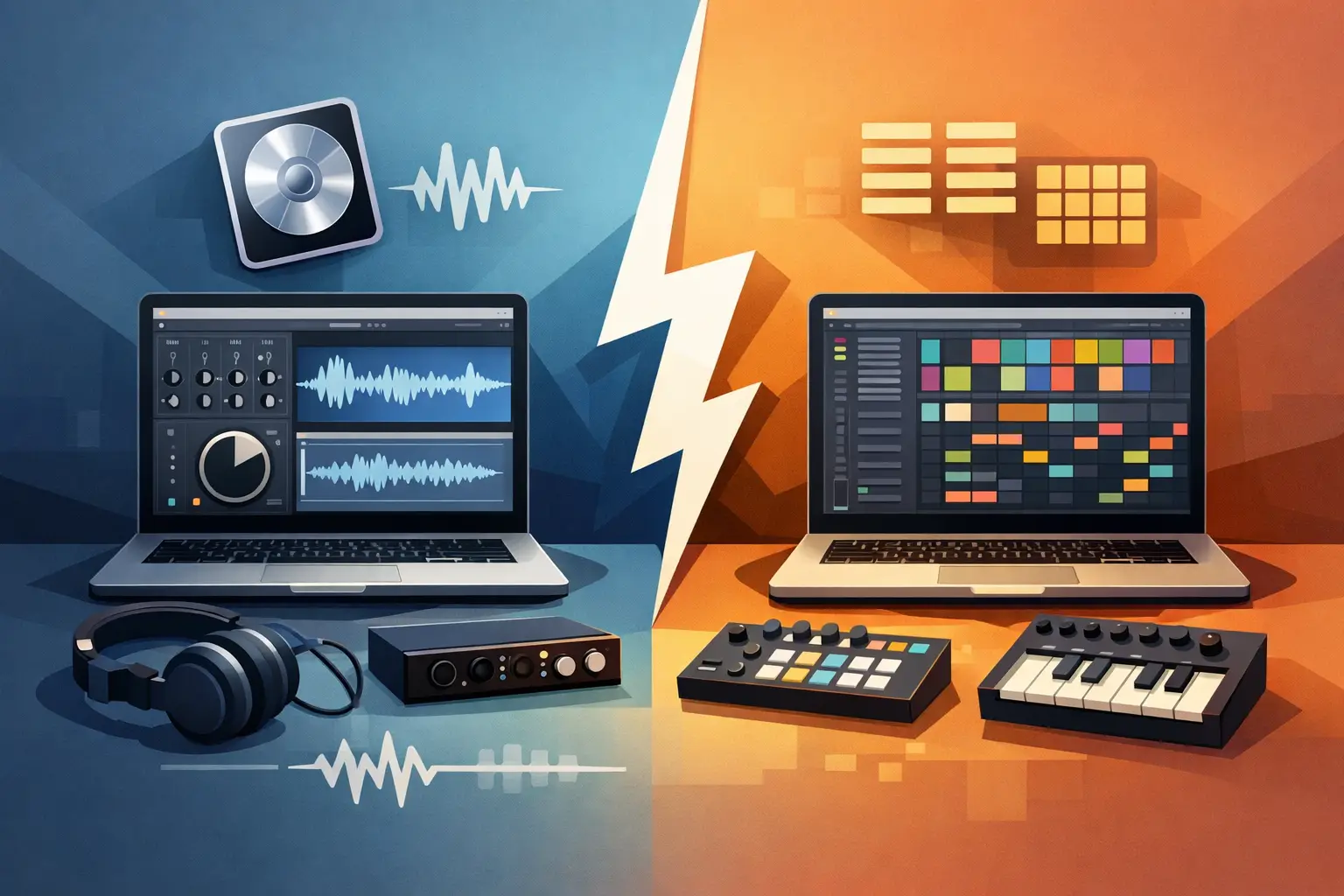
A blank project can feel like the first room in a dungeon: exciting for about 30 seconds, then suddenly full of doors you do not know how to open. If you are weighing Logic Pro vs Ableton, the best choice is not the DAW with the longest feature list. It is the one that makes you want to return tomorrow, finish another eight bars, and earn real momentum.
Logic Pro and Ableton Live can both make professional music. Both can record vocals, program drums, edit audio, mix tracks, use third-party plugins, and export release-ready files. The real split is workflow. Logic often feels like a fully stocked studio built for songs. Ableton feels like an instrument built for experimenting, arranging, and performing ideas in real time.
Logic Pro vs Ableton: the workflow battle
Logic Pro starts from a familiar recording-studio view. Tracks run left to right across a timeline. You build sections, record takes, edit MIDI, automate effects, and shape a complete arrangement in one linear workspace. If you can picture your song as intro, verse, chorus, bridge, and final chorus, Logic makes that map easy to see.
Ableton Live has that traditional Arrangement View too, but its defining feature is Session View. Instead of committing to a timeline immediately, you launch clips in vertical columns called tracks and horizontal rows called scenes. A drum loop can keep running while you try different basslines, chord progressions, and vocal chops. When something clicks, you can record that performance into the arrangement.
That difference matters more than most first-time buyers expect. Logic asks, "What part of the song are we building?" Ableton often asks, "What happens if we try this next?" Neither question is better. But one may match the way your brain creates.
If you regularly get stuck because you cannot decide what comes after your intro, Ableton's clip-based workflow can keep the quest moving. If you already hear a full song structure in your head and want to capture it cleanly, Logic can feel less distracting.
Choose Logic Pro if your goal is complete songs
Logic Pro is a strong pick for songwriters, vocal producers, instrumentalists, and beginners who want a polished studio environment without assembling every tool from scratch. It is available only on Mac, so this decision is simple if you use Windows: Ableton is the more practical path.
Logic's stock library is one of its biggest advantages. You get a serious collection of instruments, effects, loops, drum tools, synths, sampled sounds, and mixing processors. For a producer who is still building a toolkit, that means less time hunting for plugins and more time practicing arrangement, sound selection, and mixing fundamentals.
The built-in instruments also make Logic especially comfortable for writing with chords, keys, guitar, orchestral sounds, or realistic drum parts. Its MIDI editing is detailed without feeling like an engineering exam, and its audio recording tools are well suited to comping vocal takes. Record a chorus five times, choose the best phrases from each take, tune where needed, then keep moving.
Logic is also a great home base for producers who want to make pop, hip-hop, R&B, indie, singer-songwriter music, film cues, or any style where recording and traditional arrangement are central. That does not mean it cannot handle EDM, trap, techno, or house. It absolutely can. It simply guides you toward building a track on a timeline sooner.
The trade-off is that Logic can make early experimentation feel more like project management. You can use Live Loops to work with a clip-based grid, but Ableton's Session View still feels more immediate for jamming combinations and changing direction mid-idea.
Choose Ableton if you create through experimentation
Ableton Live is beloved by electronic producers for a reason: it makes looping, resampling, warping, and rearranging audio feel fast. Drop in a vocal phrase, stretch it to a new tempo, slice it into pieces, pitch it, reverse it, and turn the result into a new hook without breaking your creative streak.
Session View is the headline feature, but Ableton's strength is the way the whole DAW supports play. You can sketch a beat, trigger scenes, test energy changes, and build transitions while the track is running. For dance music, beat-making, live sets, and sample-heavy production, that is a powerful feedback loop.
Ableton is also available for both Mac and Windows, and it has a deep connection to live performance. Producers who want to launch stems onstage, manipulate effects during a set, or turn a controller into part of their instrument often find Ableton more natural. Its devices, racks, and routing options reward curiosity once you learn the basics.
That freedom can be the boss battle. Ableton gives you many ways to make something interesting, which can tempt you to collect 40 loops and finish none of them. Beginners sometimes spend hours in Session View building a fun jam, then freeze when it is time to turn that jam into a three-minute song.
The solution is not avoiding Ableton. It is building a finish-first habit. Set a challenge: create eight scenes, record one pass into Arrangement View, then make a rough intro, drop, breakdown, and ending before touching another sound. A messy finished draft teaches more than a perfect 16-bar loop.
The learning curve is about habits, not intelligence
Both DAWs look intimidating on day one. Logic has lots of windows, menus, and studio terminology. Ableton has two main views, flexible routing, and a workflow that may feel strange if you expect a traditional multitrack recorder.
Logic is often easier to understand if you have used GarageBand, recorded instruments, or watched artists build songs track by track. Ableton is often easier to enjoy if you think in loops, patterns, samples, and performance moves. The fastest-learning DAW is usually the one that gives you small wins early.
Do not choose based on a producer's famous studio photo. Your favorite artist may use Ableton for sketching and another DAW for mixing, or use Logic while relying on a huge custom plugin collection. Their setup is not your starting loadout.
Instead, ask what you want to make in the next 90 days. Are you recording vocals over your own instrumentals? Are you making club tracks from samples? Do you want to perform live? Do you own a Mac? Are you motivated by arranging songs or by launching ideas? Those answers will point you in a clearer direction than genre labels alone.
Sound design, mixing, and plugins: closer than the hype suggests
The gap between Logic and Ableton gets smaller once you move beyond first impressions. Both support professional third-party plugins, strong automation, detailed MIDI programming, audio editing, and serious mixing. A skilled producer can make a weak track in either DAW, and a focused beginner can make exciting work in either one.
Logic tends to feel generous right away because its included sounds and processors cover so much ground. Ableton's editions vary, so the instruments and sound packs you receive depend on the version you choose. If you are comparing prices, compare the specific edition, not just the name on the box.
Ableton's creative audio tools and effect racks are a major draw for producers who want to build unusual textures. Logic's stock effects and instruments are equally capable in many everyday production situations, especially when your priority is writing, recording, and mixing songs efficiently.
Here is the truth worth keeping: you do not need a new synth plugin to learn synthesis. You do not need premium mastering tools to learn balance. First learn to choose sounds that fit, control levels, use EQ with purpose, and finish arrangements. Those skills carry across every DAW galaxy.
Run a seven-day DAW trial quest
If you can test both, do not spend the trial watching interface tours. Give each DAW the same mission. Build one track from scratch using only stock sounds. Make a drum groove, bassline, chords or melody, one transition, and a basic arrangement. Then export it.
On day one, learn navigation and how to load sounds. On day two, program drums. On day three, write musical parts. On day four, arrange. On day five, automate a filter, reverb, or volume move. On day six, do a basic mix. On day seven, export and listen away from your screen.
Keep score after each session. Which DAW made you lose track of time in a good way? Which one made it easier to recover after a mistake? Which one made you eager to open a new project? That is better evidence than feature debates.
A structured path can speed up this trial because random tutorials often teach buttons without teaching decisions. SoundSurf's DAW-specific challenges are built around the actions that create progress: making beats, arranging sections, training your ear, and repeating skills until they feel automatic.
The best DAW is the one you will level up in
Pick Logic Pro if you use a Mac and want an affordable, complete studio for songwriting, vocal recording, instruments, and linear production. Pick Ableton Live if you want a flexible playground for electronic music, clip-based creation, sampling, and live performance. Pick based on your workflow, not on which logo appears in your feed.
Then stop reopening the choice screen. Commit to one DAW for a month, make small tracks on purpose, and treat every export as XP. Your first finished songs will not be your final form, but they are how you earn the skills to make the next one hit harder.